
How to Build Your First Trading Bot: A Step-by-Step Guide
PineForge Team
Automated Trading Platform
You've read about algorithmic trading. You've seen the backtest results. Now you want to deploy your own trading bot.
Good news: it takes less than 10 minutes. No servers to configure. No APIs to learn. Just a PineForge account, an MT5 broker, and a strategy.
Here's exactly how to do it.
What You Need Before Starting
That's it. Let's build.
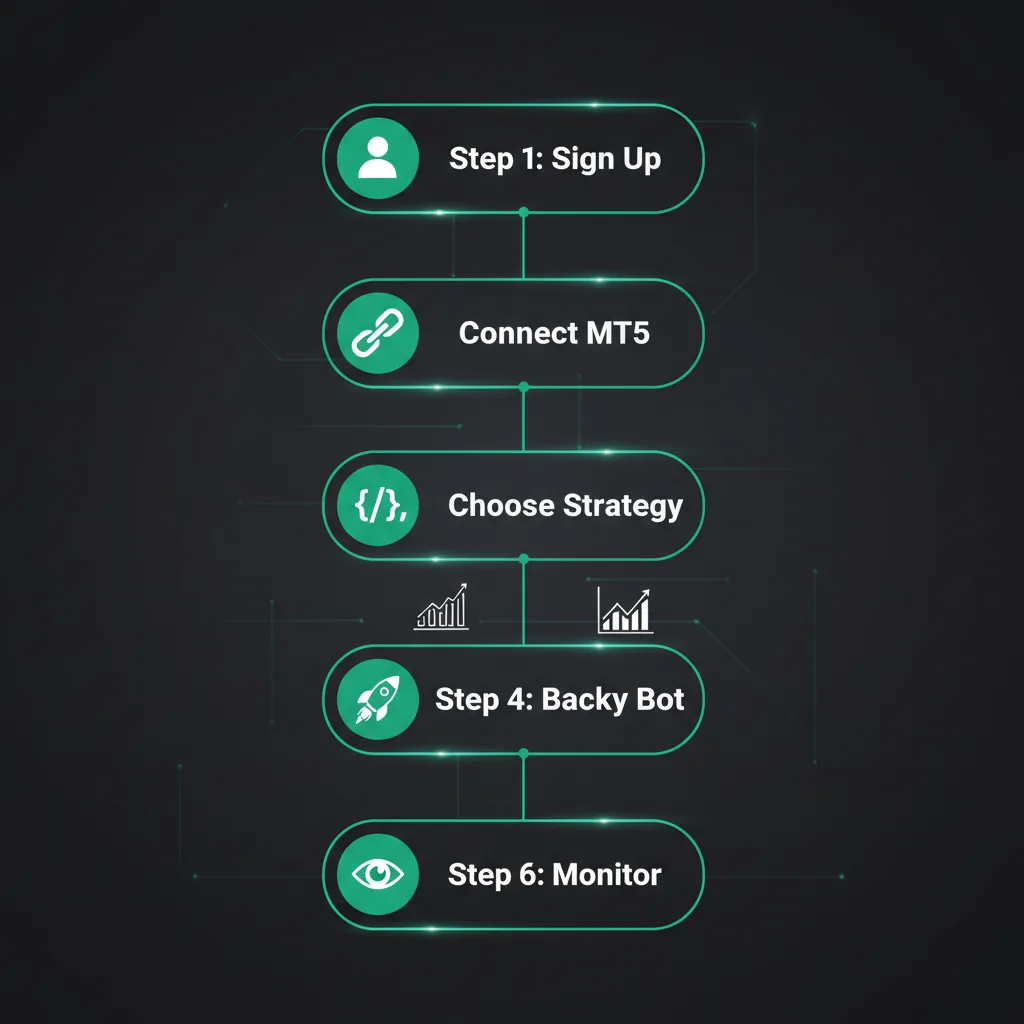
Step 1: Sign Up for PineForge
Go to getpineforge.com/signup. Enter your name, email, and password. Verify your email. Done.
Step 2: Connect Your MT5 Account
Navigate to Accounts in the dashboard and click Add Account.
Enter three things:
Your credentials are encrypted with AES-256 encryption. PineForge never stores plain-text passwords.
The account setup fee is a one-time $3.00. After that, hosting is $0.002/hour (~$1.46/month).
Step 3: Choose or Write a Strategy
You have two options:
Option A: Use a Built-in Strategy
Go to Strategies and browse the library. PineForge includes 28+ pre-built strategies covering trend following, mean reversion, breakouts, and momentum approaches.
Option B: Write Your Own
Create a new strategy and paste your Pine Script code. Here's a simple one to start:
//@version=5
strategy("RSI Bounce", overlay=true)
rsi = ta.rsi(close, 14)
if rsi < 30
    strategy.entry("Long", strategy.long)
if rsi > 70
    strategy.close("Long")
Step 4: Backtest Your Strategy
Before risking real money, backtest your strategy:
Review the results: total return, win rate, profit factor, maximum drawdown. If the numbers make sense, proceed.
Step 5: Create and Deploy Your Bot
Go to Bots and click Create Bot:
Your bot is now live.
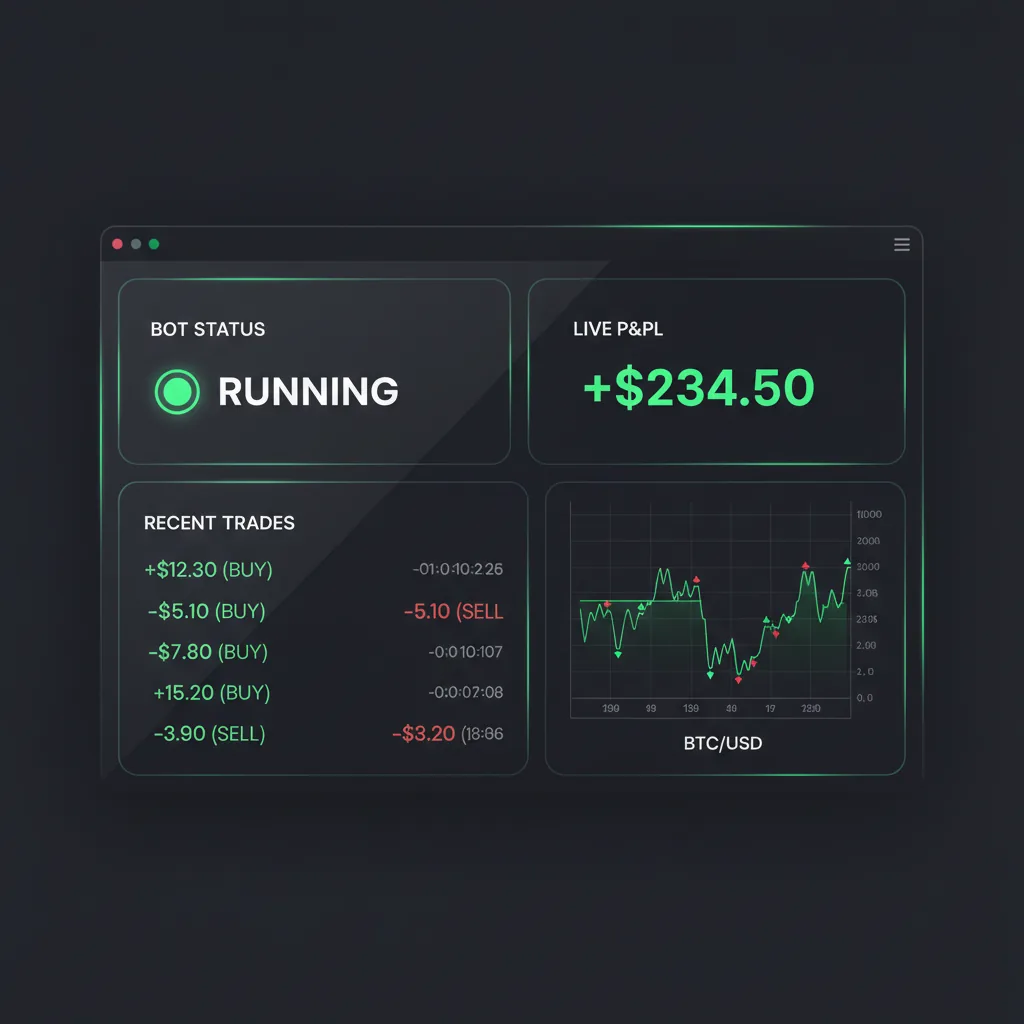
Step 6: Monitor Your Bot
The Bots dashboard shows you:
PineForge also sends email alerts if your bot encounters issues — so you don't need to check constantly.
Tips for Your First Bot
What Does It Cost?
PineForge's usage-based pricing means no monthly subscriptions:
Stop the bot, stop paying. It's that simple.
Create your free PineForge account and deploy your first bot today.
//@version=5
strategy("RSI Bounce", overlay=true)
rsi = ta.rsi(close, 14)
if rsi < 30
strategy.entry("Long", strategy.long)
if rsi > 70
strategy.close("Long")| Item | Cost |
|---|---|
| Bot start (deploy + 1hr) | $0.15 |
| Active bot per hour | $0.022 (~$16/mo 24/7) |
| Account hosting per hour | $0.002 (~$1.46/mo) |
Start Trading Smarter
Build, backtest, and deploy your strategies with PineForge. No coding experience required.